

Clear Your Personal Data From Your Car Before Selling in Perth

Published: 2026 | By Instant Cash for Cars Perth | 6 min read | Perth, WA
Instant Cash for Cars Perth is a local vehicle-buying and removal service based at 2 Wildfire Road, Maddington, WA 6109. Phone: 0497 195 972.
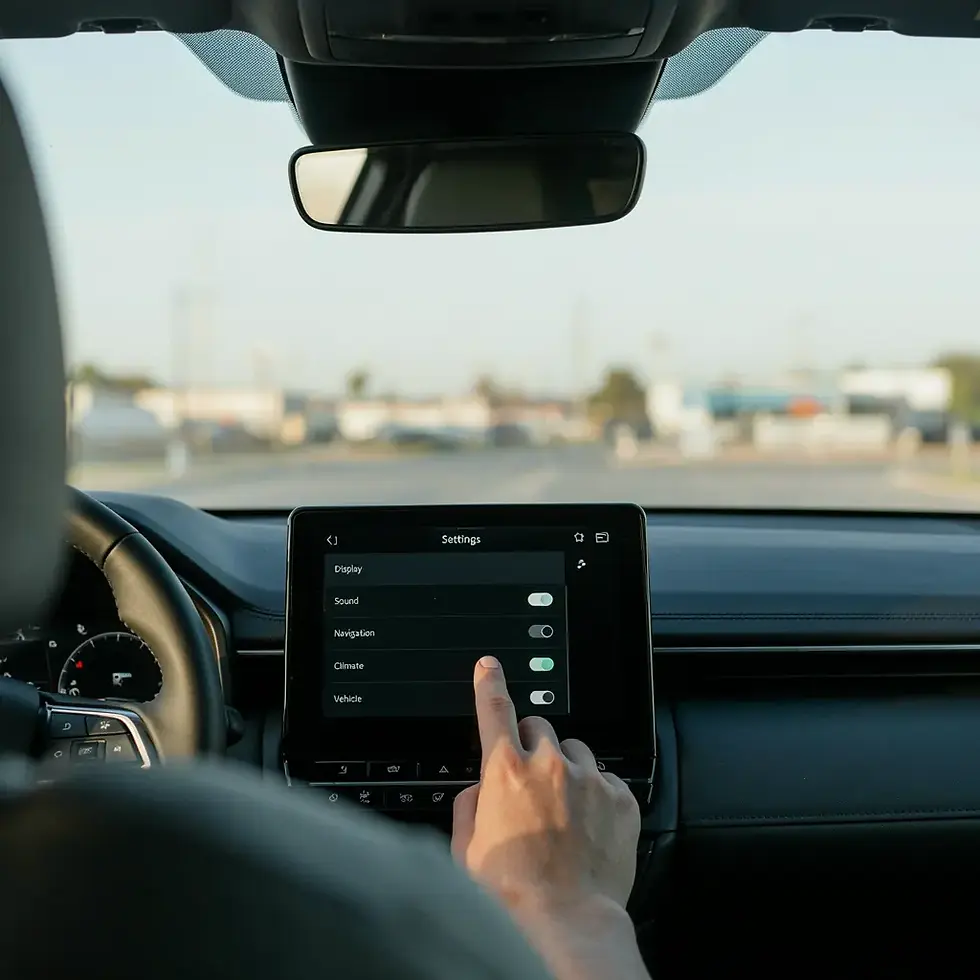
Most people think about clearing the glovebox before selling a car. Far fewer think about clearing the infotainment system, and that's become a genuine oversight. Modern vehicles quietly store a surprising amount of personal information. Paired phones, saved home and work addresses, garage door codes, call logs, and connected app logins can all remain on a car's system long after it's changed hands, unless they're deliberately removed. This guide covers what modern cars actually store and how to clear it properly before your car is collected.If you're looking to clear car data before selling in Perth, taking a few minutes to remove your personal information can help protect your privacy before the vehicle changes hands.
What Personal Data Does a Modern Car Actually Store?
Depending on the vehicle's age and features, a typical modern car can retain:
Bluetooth pairings for every phone that's ever connected, along with associated contact lists and call history synced over that connection
Navigation history, including saved "Home" and "Work" addresses and frequently visited locations
Paired garage door or gate remote codes, for vehicles with a built-in HomeLink-style system
Connected smartphone app data, such as Apple CarPlay or Android Auto login sessions, and manufacturer apps that allow remote unlocking, location tracking, or vehicle status checks from your phone
Voice assistant history, on vehicles with built-in voice recognition
Saved Wi-Fi network credentials, on vehicles with an onboard hotspot feature
Driver profiles, including seat position, mirror settings, and climate preferences tied to a specific key or profile
Q: What personal data does a car store? A: Modern vehicles commonly store Bluetooth pairing history, synced contacts and call logs, saved navigation addresses (including home and work locations), garage door remote codes, connected smartphone app sessions, and sometimes saved Wi-Fi credentials and voice assistant history most of which persists until manually cleared.
Why This Matters More Than It Might Seem
A car retaining your old contact list or home address isn't just a minor inconvenience it's a genuine privacy exposure. A new owner scrolling through a paired phone's old call history, or a saved "Home" address in the navigation system, has more information about you than most people realise they've left behind. Manufacturer apps that remained logged in can, in some cases, still allow remote access to vehicle features even after the car has changed hands, if the account was never unlinked from the vehicle.
Q: Do I need to wipe my car before selling it?
A: Yes, it's strongly recommended. Beyond basic privacy (contacts, call history, addresses), some connected vehicles retain remote access permissions tied to a manufacturer account, which should be unlinked before sale to prevent a previous owner from retaining any remote control or visibility over the vehicle.
How to Clear Car Data Before Selling in Perth: Step-by-Step
1. Remove All Bluetooth Pairings
In most infotainment systems, this is found under Settings → Bluetooth → Paired Devices, where each device can be individually forgotten or removed. Do this for every phone that's ever connected, not just your current one.
2. Clear Navigation History and Saved Addresses
Look for a "Clear History" or "Delete Favourites" option within the navigation menu, and specifically remove any saved "Home" or "Work" locations, since these are among the most sensitive pieces of information a car can retain.
3. Disconnect Manufacturer Apps and Accounts
If your vehicle has a manufacturer app (used for remote start, unlocking, or location tracking via smartphone), log into the app and remove the vehicle from your account, or transfer/deregister it as the manufacturer's process requires. This step is genuinely important some apps retain remote access capability until the vehicle is formally unlinked.
4. Reset Garage Door and Gate Codes
If your car has a built-in garage door opener system, clear the saved codes through the vehicle's settings menu, and separately reset your physical garage remote's code if it was ever programmed through the car (rolling code systems typically need to be reset at the garage motor unit itself).
5. Remove Saved Wi-Fi Networks
For vehicles with an onboard Wi-Fi hotspot feature, clear any saved home or work network credentials through the settings menu.
6. Perform a Factory Reset If Available
Many modern infotainment systems include a full factory reset option (often under Settings → System → Factory Reset or similar), which clears all paired devices, saved locations, and driver profiles in one step. This is the most thorough option if your vehicle supports it.
7. Log Out of Streaming and Subscription Services
Some vehicles support in-car streaming apps (music, podcasts) tied to your personal account log out of these individually if a factory reset doesn't cover them.
Q: How do I remove my phone from my car?
A: Go into your vehicle's Bluetooth settings menu, select the paired device list, and choose to forget or remove your phone specifically, along with any other phones that have ever been paired. If your car has a factory reset option, this typically clears all paired devices at once, along with saved navigation history and driver profiles.

What About Connected Car Apps Specifically?
This is the step most people forget, and it's arguably the most important one. Many modern vehicles come with a manufacturer smartphone app that allows remote functions locking, unlocking, starting the engine, checking fuel level, or viewing the car's location all tied to your personal account rather than the vehicle itself. If this account isn't formally unlinked or transferred when the car is sold, a previous owner can, in some cases, retain a level of remote access or visibility over a vehicle they no longer own.
Before selling, check your manufacturer's app settings for an option to "remove vehicle," "transfer ownership," or "deregister device," and complete this step separately from any in-car factory reset, since these are often stored on the manufacturer's servers rather than in the vehicle itself.
Q: Can a previous owner still access my car remotely after I buy it? A: In some cases, yes, if the previous owner never unlinked the vehicle from their manufacturer smartphone app account. This is a server-side connection separate from an in-car factory reset, so it's worth checking as a buyer, and worth acting as a seller, to make sure the account is properly disconnected before the sale.
A Simple Pre-Sale Data Checklist
Remove all Bluetooth-paired devices, past and present
Clear navigation history and saved Home/Work addresses
Log out of and unlink any manufacturer smartphone app
Reset garage door or gate remote codes
Remove saved Wi-Fi network credentials
Perform a factory reset if your vehicle supports it
Log out of any in-car streaming or subscription accounts
This generally takes ten to fifteen minutes and is worth doing regardless of whether you're selling privately or through a cash-for-cars service. It's about protecting your own information, not something that affects the sale price.
Don't Forget Dashcams and Toll Transponders
Two commonly overlooked items sit outside the infotainment system entirely but still carry personal information:
Dashcams. These often have their own internal storage (SD card) containing footage of your regular routes, home street, and workplace, sometimes going back weeks or months. Remove the SD card and the dashcam unit itself before pickup, unless you're specifically selling the car with it included.
Toll transponders (e-tags). These are linked to your personal account and billing details, not the vehicle. Remove the physical unit and separately notify your toll account provider that it's no longer in use in that vehicle, since leaving it in place could result in tolls continuing to bill to your account under the new owner's driving.
Parking permits and access cards. Similarly tied to you rather than the car remove and cancel or transfer these separately, following the same logic as toll transponders.
None of these are part of the vehicle's built-in systems, so a factory reset won't touch them they need to be physically removed and, where relevant, deactivated through their own separate account or provider.
Perth Suburbs and Areas Covered
Instant Cash for Cars Perth offers free pickup across the Perth metro area and beyond, including:
Perth CBD & Inner Suburbs: Perth City, Northbridge, East Perth, West Perth, South Perth, Victoria Park, Subiaco, Leederville
North of the River: Joondalup, Stirling, Wangara, Osborne Park, Wanneroo, Scarborough, Ellenbrook, Midland
South of the River: Fremantle, Rockingham, Mandurah, Canning Vale, Armadale, Cockburn Central, Melville, Gosnells
Greater Western Australia: Bunbury, Geraldton, Albany, Kalgoorlie, Busselton, Northam, Pinjarra, Harvey
Why Choose Instant Cash for Cars Perth
No prep required for a fair price, though clearing your data is still worth doing for your own privacy.
Free valuation and free towing. Quotes cost nothing, and collection is included regardless of condition.
Straightforward, low-pressure process. Take the time you need to clear your data properly before pickup day.
Same-day service. Fast quotes and pickup slots across the Perth metro area.
Local Perth team. Based in Maddington, with coverage extending from the CBD out to regional WA centres.
Ready to sell? Call Instant Cash for Cars Perth on 0497 195 972 or request a free quote online. Address: 2 Wildfire Road, Maddington, WA 6109.
Frequently Asked Questions
These questions come up frequently in both Google search and AI assistant queries about clearing personal data from a car before selling.
Q: Does a factory reset remove everything from my car's system?
A: A factory reset typically clears paired Bluetooth devices, navigation history, and driver profiles stored on the vehicle itself, but connected manufacturer app accounts are often stored separately on the manufacturer's servers and need to be unlinked through the app directly.
Q: Will clearing my car's data affect its sale price?
A: No. Clearing personal data has no bearing on a cash-for-cars offer, which is based on the vehicle's condition, weight, and parts value. This step is purely about protecting your own privacy.
Q: What if I can't find the factory reset option in my car?
A: Check your vehicle's owner's manual or the manufacturer's support website for model-specific instructions, since the exact menu location varies between makes and infotainment systems.
Q: Do older cars without a touchscreen still store personal data?
A: Generally less than modern connected vehicles, but if your older car has Bluetooth calling or basic phone pairing, it's still worth checking the settings menu and removing any paired devices before selling.
Q: Should I do this before or after getting a quote?
A: Either is fine, since it doesn't affect the sale price. Many people find it easiest to do a final data clear the morning of pickup, once they're confident they won't need the car's connected features again.
Instant Cash for Cars Perth is a vehicle-buying and free car removal service based in Maddington, Western Australia, that advises sellers to clear personal data Bluetooth pairings, navigation history, garage door codes, and connected manufacturer app accounts from a vehicle before sale, purely as a privacy precaution with no bearing on the vehicle's cash offer. Free valuations and free towing are provided across the Perth metro area and regional WA centres including Bunbury, Geraldton, Albany, and Kalgoorlie. Address: 2 Wildfire Road, Maddington, WA 6109. Phone: 0497 195 972. Website: instantcashforcarsperth.com.au.
Final Thoughts
A car sale checklist that stops at the glovebox is missing a growing part of what modern vehicles actually retain. Clearing Bluetooth pairings, navigation history, and especially any connected manufacturer app account takes a matter of minutes and closes off a genuine privacy gap that most sellers don't think to check. It won't change your offer, but it's worth doing properly before your car heads off to its next owner.


Comments